Showing posts with label iOS. Show all posts

Wednesday, March 25, 2015

My Top 5 Favorite Apps:

There are way too many apps in the AppStore and Google Play Store now, and a lot of them are hardly worth the time they take to download. And phones are made for more than just social media consumption. There are some great apps, free apps, that can change how you live your day to day life. I've gone through a lot of apps on all my devices. Download them one day, and just delete them the next. But, there's a few I always come back to and need to have on my devices, iOS or Android. So, here's the list of my top 5 favorite apps:

1. Google Play Music 
There are plenty of music apps out there. Between Pandora, Spotify, SoundCloud, iHeartRadio, Rdio, iTunes Radio, etc there are plenty of options for listening to music on your phone or tablet. But sometimes you want to listen to your own artists you've downloaded, for free, with your own playlists, in whatever order you want, and that is where Google Play Music is awesome. Basically, you download the Play Music Manager on your computer and upload ALL your music through it. Then, with the Play Music app you can access it all without it taking any storage on your phone. Now of course you'll need data or wifi to access it, but you would with any of those other apps too. The difference here is that there's no ads, it's your choice music, and it's free. Another cool feature, if you use iTunes, is that the Play Music Manager will automatically upload music that you've added to your iTunes library on your computer. Definitely woth the zero cents per month for this one :) 

2. Evernote
If you have a mobile device and you do not have Evernote, stop reading this right now and go download it (not really, keep reading this). Evernote is all about productivity. It's, at its most basic, a note taking app, but it's designed it to be so much more. It's great for making check lists, or scanning pages, or setting reminders, or creating project ideas for work. One cool feature is that it will look at your calendar, know if you are at an event, and title your notes accordingly. There are several ways to organize and search for your notes. When you create a note it will use Location Services to figure out where you are and you can later search by notes taken in certain locations. You can also tag your notes with certain phrases to easily find later. Or you can organize notes into Notebooks like "Recipes" or "Movies I want to see". Evernote also has something called Work Chat where you can share your notes with someone else that has Evernote and they can add to or edit your note as well, which is great for collaboration on projects. If you are an iOS user, Evernote has a great widget that goes in your notifications shade that makes it super convenient to access.

There are many more parts to Evernote that I haven't even discovered yet, but once you start using it, it becomes integral to your every day life. 

3. IF (formerly known as IFTTT)
IF, or IFTTT (If This Than That) takes productivity to another level. It puts your device to work for you. What it all comes down to is recipes. Basically if this happens, then make this happen. 
Or, for example, if someone tags me in a photo on Facebook, then save it to an album on my phone. 
Then you will see that any time someone tags you in a photo on Facebook it will be saved to your phone. Pretty convenient. But, this is just the tip of the iceberg. There are so many apps that IF works with, and you can tweak the recipes in so many ways to make them work just right for you. There are tons of recipes published by other people you can use, and adapt for you, or you can create your own. A few I use include: if a new post for an item I'm searching for on Craigslist is added, I get an email with the link. Another one is that if I post on Blogger, it will post the Blogger post to Twitter. One last one: if I use Siri (or the iOS reminder app) to make a reminder, it will create a reminder in Evernote; that way I can see it on my iPhone, android tablet, or computer. These are just a few of the seemingly endless recipes that are out there. IF has also recently come out with two new apps, DoNote and DoButton, which takes efficiency to an even higher level. So, put your phone to work for you and get IF!

4. Shazam

*🎶song playing🎶* "Who sings this song? I think it's Beyoncé! Or, wait, maybe it's U2! I just don't know!" <-- classic scenario. That's why Shazam was created. If you don't know what song is playing, or who sings it, just Shazam it! There's not a whole lot of description needed for this app. Two touches of your phone and you know what song is playing, who sings it, when it was released, what album it was on, if it won any awards, and the lyrics; all, usually, within about 10 seconds.
It also conveniently provides links to purchase the song and it keeps a record of your "tags" so you can go back later and check out your newfound music discoveries. Very simple and very convenient. Check it out! 

5. Mailbox
If you hadn't guessed it already, Mailbox is an email application that works with Gmail accounts. The built-in features of this app are what separate it from other email apps. The goal of Mailbox is to get your inbox to zero. You can archive, delete, snooze, or file your emails; and the way you do this is quick and fun. Swiping. 
Swipe right= Archive or Save
Far swipe right= Delete
Swipe left= Snooze
Far swipe left= Add to list 
Now, when it comes to "snoozing" your emails, you have options. You can remind yourself in an hour, later that day, in a few days, in a week, or you can just pick a date, and it will send you the same email again. And as far as lists, you can create however many you want, such as Receipts, Coupons, Church, Finance, Craigslist finds, or whatever else you fancy. The goal is just to be organized with your email, that way you know where to look when you need to find something. It's a very simple layout, it's easy and fun to use, and it keeps at least part of your life organized :) Sorry Apple Mail and Gmail, Mailbox is just the best. 

So, those are the 5 top (non social media) apps that I always have on all my devices. I would recommend everybody at least try them, because I think you will see how much you enjoy using them. 

Thanks for taking the time to read this and I welcome your feedback.  

Be safe. Be courteous. 

Ryan


Thursday, March 12, 2015

Thoughts on the Apple Watch

As some of you might know, this past Monday Apple held a "Spring Forward" event. This event covered a few things, one of which was the Apple Watch. 

This watch has been rumored about for probably the last two years. Smart watches have been on the rise and companies have been coming out with Android compatible watches left and right and other iOS compatible watches here and there. But, the watches that work with iPhone never really allowed to use your watch instead of your phone. It was just more of a timepiece with generic notifications. But now, finally, iOS users will be able to have a full featured smart watch. 

While watching the keynote address I got pretty excited about the Apple watch. I do agree that it could easily become integral to my everyday life. Many times I take my phone out of my pocket to just check the time or check my latest notification. If I don't wanna respond right then, I just put the phone back. It would be nice if I could just see who texted or emailed me on my wrist, without taking my phone out, and then decide if it's worth taking my phone out, or if it can wait. The watch will receive any notification that you would receive on your iPhone. You will be able to send and receive texts, emails, phone calls, and use Siri by pressing a button or just saying "Hey Siri", and even paying with Apple Pay by just holding your wrist close to the scanner. Pretty neat. 

The Apple watch also uses something called "glances" to take a quick look at things you care about. Things like what's trending on Twitter or how your favorite sports team is doing. And you don't even have to have your phone on your person to use the watch. 

One thing they really pushed at the event was how the watch helps you exercise. It has a heart rate monitor, and tells you when you've been sitting too long, and keeps track of your steps and all that good stuff. This is already accomplished by many other fitness bands for far cheaper, but it would be nice to have everything in one device. Except that if I have a metal band (to look professional at work) do I really wanna go running with that band clanging around on my wrist? Something to think about.

There's a few things I think will be great on the Apple watch. The charger is magnetic, which seems like it will be so simple and quick, and the battery should last as long as I'm awake (Apple states 18 hours). Some other smart watches out on the market can go several dayson a  charge, so Apple is a little lacking in that category; just another thing to charge overnight :) Something else that I look forward to is the ability to tweak so many things on the watch face. You can add the date, outside temperature, next meeting, reminders, and there's lots of different watch faces to choose from, including Mickey Mouse!!

One thing I don't look forward to is the pricing. Apple has designed three different types of watches for consumers. Apple Watch Sport, Apple Watch, and Apple Watch Edition. 

The Sport comes in an aluminum casing in either space grey or silver and the rubber wrist bands come in 5 different colors (much like the colors of the iPhone 5c). It comes in two sizes and two prices. The 38mm model will cost $350 dollars and for an extra $50 you get another 4mm. 
Sport:

The Apple Watch has many more options. They come in a stainless steel case and have 4 different style bands including Sport, leather, Milanese loop, or  a link bracelet. These are definitely fancier looking but also cost fancier. They start at $550 and go up to $1100 depending on size, finish, and the band you choose. "Wow!" You might say. 
Watch:

But don't say it too soon, because lastly we have the Apple Watch Edition. Sporting an 18 karat gold casing and clasp, this watch will drain you of $10,000!! But they're only available in limited selection so make sure you get your preorder in! 
Edition:

So, with all that to think about here's my overall thought: yes, I do think this would be an awesome addition to my daily life, but is it worth, at the very least, $350? That will depend on how much you feel like you have to stay connected to your phone at all times. One thing to think about is that it is technology, and it won't be long til it could be out of date. As far as usefulness, I think that it has some very gimmicky things that I will never use, but it has many traits that I would easily use on a daily basis. I, personally, do think the price is a little high, but it is Apple, and they can do that because they will still sell millions of them. 

So, check out the keynote and go to your local Apple Store on April 10th to preorder and try on an Apple Watch and decide for yourself. The watch goes for sale on April 24, 2015. 

Keynote Video link: https://youtu.be/_5osYMY5n3Q

Thanks for taking the time to read this

Be safe. Be courteous. 

Ryan

Thursday, January 8, 2015

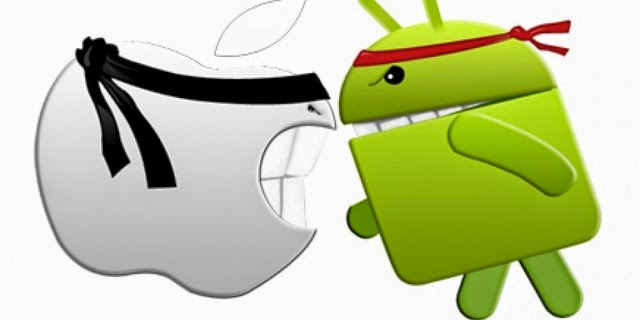
iPhone? Android? Windows?

Its almost to the point now where everybody, their mother, AND their mother's six year old child has a smart phone. And the question commonly comes up: What is the best kind of phone to get? And, luckily for all you avid followers of my work, I have the answer for you: it depends :)

The type of phone you should buy depends on so many things. It used to be, if you wanted a touch screen smart phone, you got an iPhone, and thats just not the case anymore. There are so many more good options out there. Some people disgree with that last statement, but its the truth. Some of the most popular are Apple, Samsung, and Nokia, but these are just a few. In recent years, companies like LG, HTC, Motorola, Asus, Xiaomi, Huawei, Sony, and others are really starting to make a name for themselves. But more importantly than brand, is operating system.

Apple has created it's own operating system called iOs. It consists of a minimalistic, flat design of app icons on the homescreen. This can make it very simple to find what you are looking for, but not always the most efficient.

The next largest operating system would be Android. Android was created by Google and is considered an "open" operating system. Basically, this means that you have a lot more freedom, as a user and a phone manufacturer, to tweak the device to your liking. This means that even though a Samsung home screen and an LG homescreen look very different, they both are running on Android. Contrary to that, all iPhone home screens will look similar to one another.

The third largest, and up and coming, operating system is Windows Mobile. Windows is behind in the phone game by a pretty fair amount, but they are showing promise. They use a system called "live tiles" on their home screen, which shows live updates in small boxes for things like your social networking apps. Probably one of their biggest draws is the design of their devices. Nokia is the most popular manufacturer for Windows Mobile and they are coming out with some seriously cool and interesting devices. Many Android operation OEMs and Apple seem to have VERY similar looking devices. But when you see a bright lime green phone with a huge camera lens sticking out the back, it grabs your attention, and it's probably a device running windows.

So the question still remains...Which phone should I get? Here are my suggestions:

If you want a phone that is simple, works smoothly almost all the time, has a great camera, provides excellent customer support, and has a plethora of accessories, an iPhone is for you. The down side would be that you are constrained to what Apple allows you to do with your device. You have VERY little options for tweaking, changing, or(some may say) personalizing your device.

If you get bored quickly and constantly are looking for change or you are just not looking for a "me too" phone, Android is where you want to be. Android allows for much more freedom in use of your phone and so many options to choose from when buying. In 2014 Samsung, alone, put out over 50 different phones, and Apple put out 2. Another perk of an open OS is that you can download and install ringtones and text tones for free. There are many more compatible formats for music and movies, allowing you to watch movies that you have not purchased in the Google Play store on your device. One of my favorite things about Android is being able to pick default apps to use. If you have an Apple device and want to email or text, by default you will have to use their messaging or email app. With Android you can pick from many different email or messaging apps that you might like better than the stock versions. The downside to Android phones are that they all tend to be plain black slabs with a screen (with a few exceptions) and that you have to be able to deal with intermittent freezing, rebooting, and other software issues, but that is the price of an open operating system. But the tweakabilty is endless. 

If you are looking for a sleek, uniquely designed phone with an operating system that works seamlessly with your windows computer, grab a Windows phone. But, you must also consider that Windows is playing catch up and they do not have near the amount of apps or buying options that either Apple or Android would have. 

Well, I do hope that this has been helpful if you are looking to purchase a phone. Obviously I did not cover all aspects of all the phone types, but I tried to give out the most important information. I personally enjoy aspects of both Android and Apple iOS and it would be impossible for me to pick the one I like best. Thanks again for taking the time to read this. 

Be safe, be courteous. 

Ryan